 Sleep Timer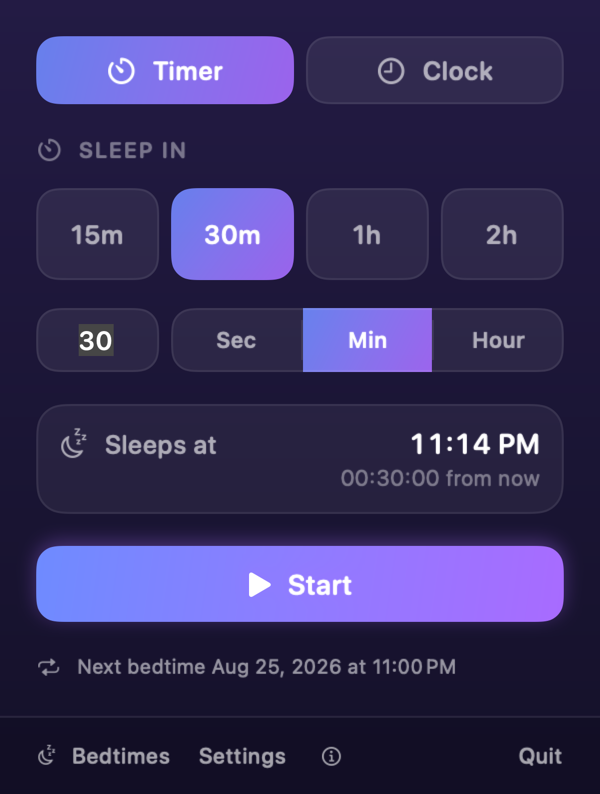
Four presets, one tap
15m, 30m, 1h, 2h. Or type a length and switch between seconds, minutes, and hours. Change the presets to whatever you actually use.
macOS 13 or later
Your Mac sleeps when you do. Set a countdown from the menu bar, or name the hour, and stop wondering whether the machine ran all night.
Free · No account · Nothing leaves your Mac
One click
Menu bar
Sleep Timer sits next to Control Center. No Dock icon, no window to find.
One tap
30m
Or drag the hands of the clock dial to 11:00 and let the timer wait.
Then nothing
Asleep
At zero the Mac sleeps, exactly as from the Apple menu. Your files stay open.
Heads-up
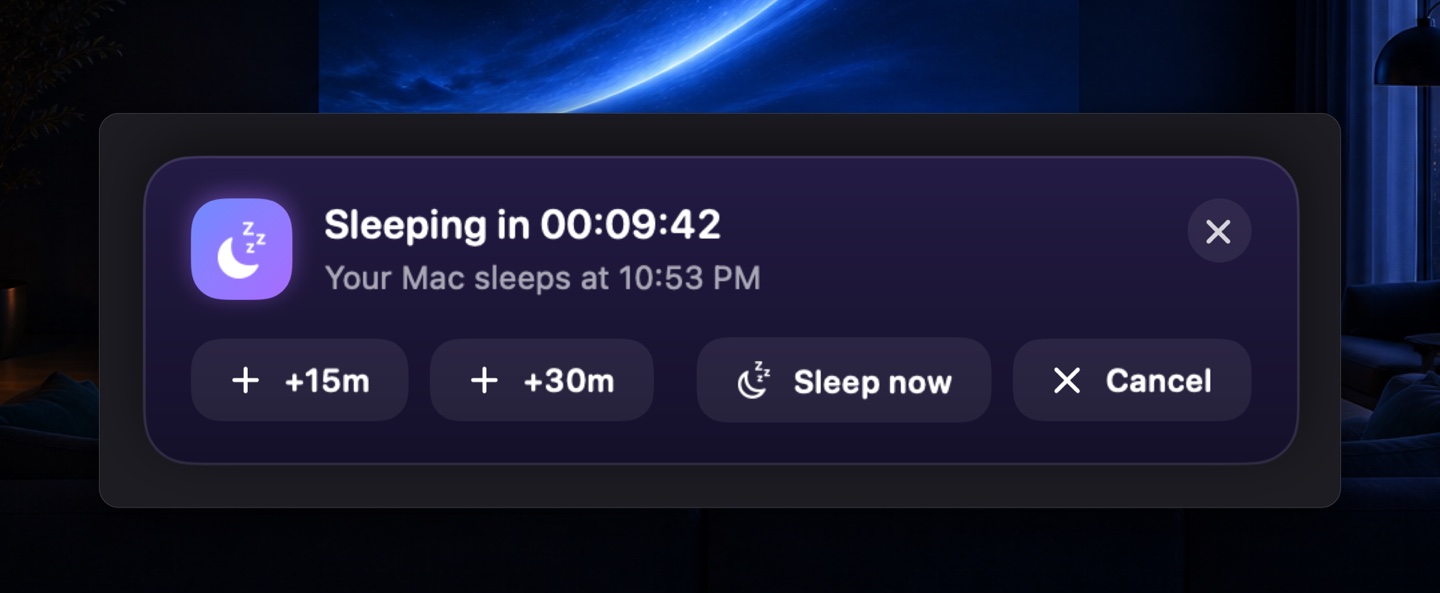
Ten minutes before sleep, a heads-up floats above fullscreen apps — the one place a notification usually cannot reach. Add time, sleep now, or wave it away and carry on watching.
15m, 30m, 1h, 2h. Or type a length and switch between seconds, minutes, and hours. Change the presets to whatever you actually use.
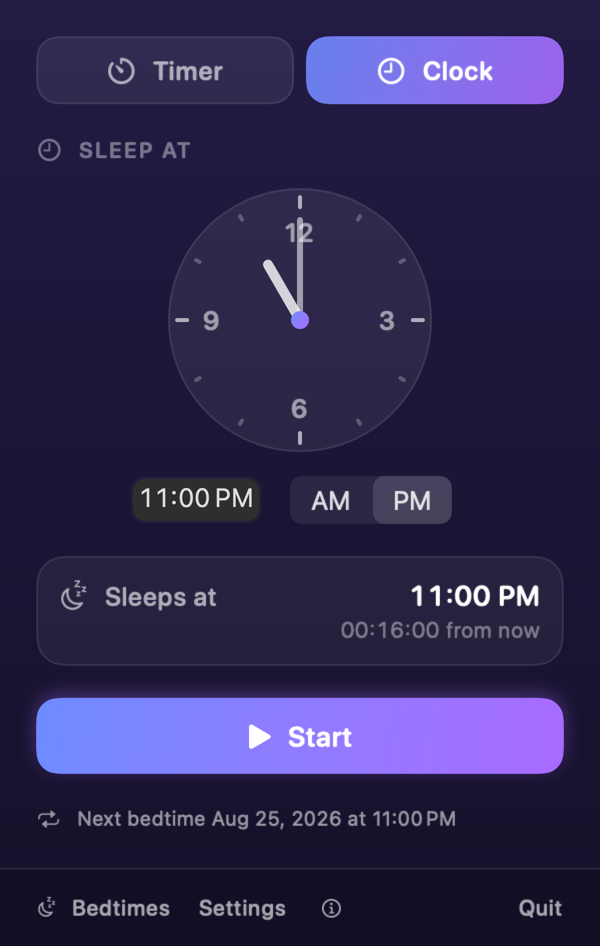
Drag the hands to the time you want the Mac to go quiet. Set an hour that has already passed and the timer waits until tomorrow.
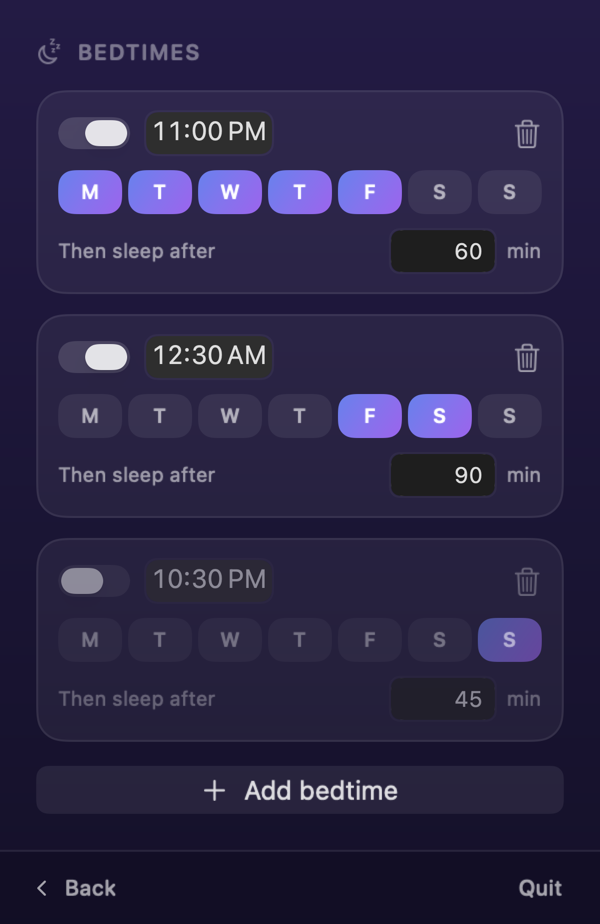
Weeknights at 23:00 for an hour. Fridays at 00:30 for ninety minutes. Pick the days, the time, and the length once.
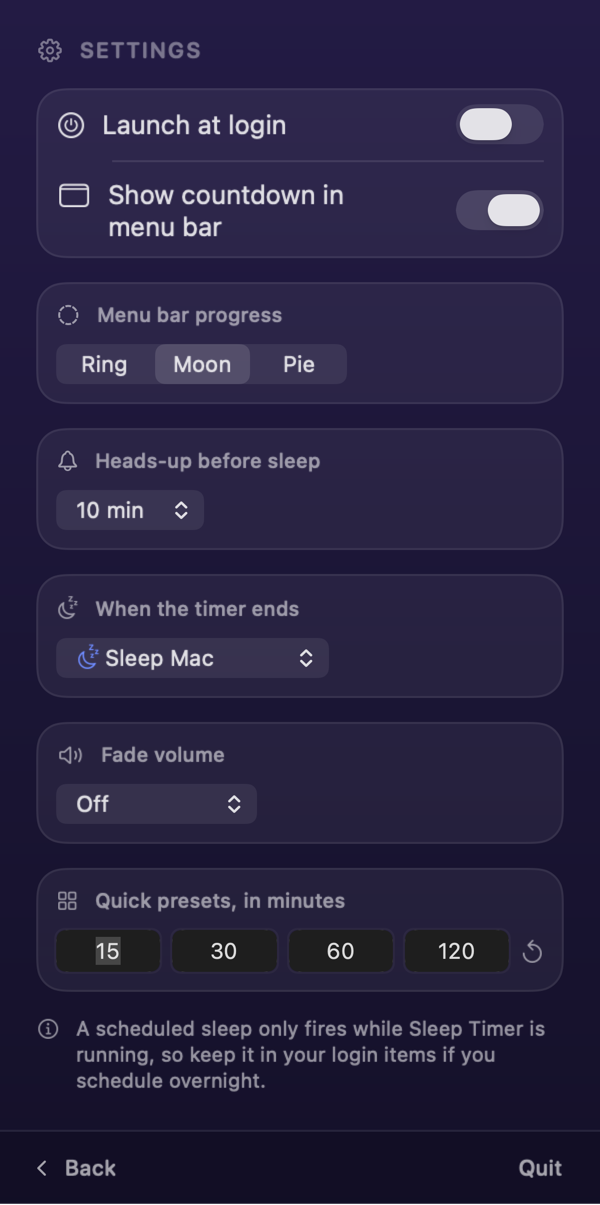
Launch at login. Show the countdown as a ring, a moon, or a pie. Sleep, turn the display off, or shut down. Fade the volume on the way out.
The target time is written to disk. Quit the app or reboot the Mac and the countdown picks up where it was.
Set the end action to turn the display off instead of sleeping, and the machine stays awake with the screen dark.
Volume fades over the last 30 seconds, minute, or two minutes. The level you had comes back when you wake the Mac.
Start a preset, add fifteen minutes, or sleep straight away from the menu bar icon, without opening the panel.
English, French, German, Spanish, Italian, Dutch, Japanese, Korean, Portuguese in both variants, and Chinese in both scripts.
No account, no analytics, no server. Your timer and your bedtimes live in macOS preferences on this machine.
Siri and Spotlight
Every action is a Shortcut, so Spotlight and Siri can drive the timer from wherever your hands already are.
Click the moon in the menu bar, tap a preset such as 30m, and press Start. The countdown appears in the panel and, if you want it, beside the clock in the menu bar. When it reaches zero the Mac sleeps.
Sleep Timer is free on the Mac App Store, with no in-app purchases, no subscription, and no account to create.
Not unless you ask it to. Sleep is the default, which keeps every app and document open. Settings also offers turning the display off, which leaves downloads running, and a full shut down.
Yes, and ten minutes before sleep a heads-up appears on top of fullscreen apps, so it reaches you mid-film. Add fifteen or thirty minutes, cancel, or ignore it and let the Mac drift off.
No. A repeating bedtime only starts a countdown while Sleep Timer is running, so turn on Launch at login if you schedule anything overnight.
No. Sleep Timer asks macOS to sleep through pmset, the same tool behind the Apple menu's Sleep command. It reads nothing and sends nothing.
Any Mac on macOS 13 Ventura or later, Apple silicon or Intel.
Free · macOS 13 or later